Editor and SERP preview
Puluno edits SEO for every supported post type — typically pages, posts, products, and custom types (filter puluno_metabox_post_types).
Meta box (classic editor / below content)
On a page or post you'll find the Puluno SEO box:
- SEO title
- Meta description
- Focus keyword
- Robots (index / noindex)
- Search preview (SERP) — live preview of title + URL + description
Empty fields = plugin fills smart suggestions on sync.
Gutenberg sidebar
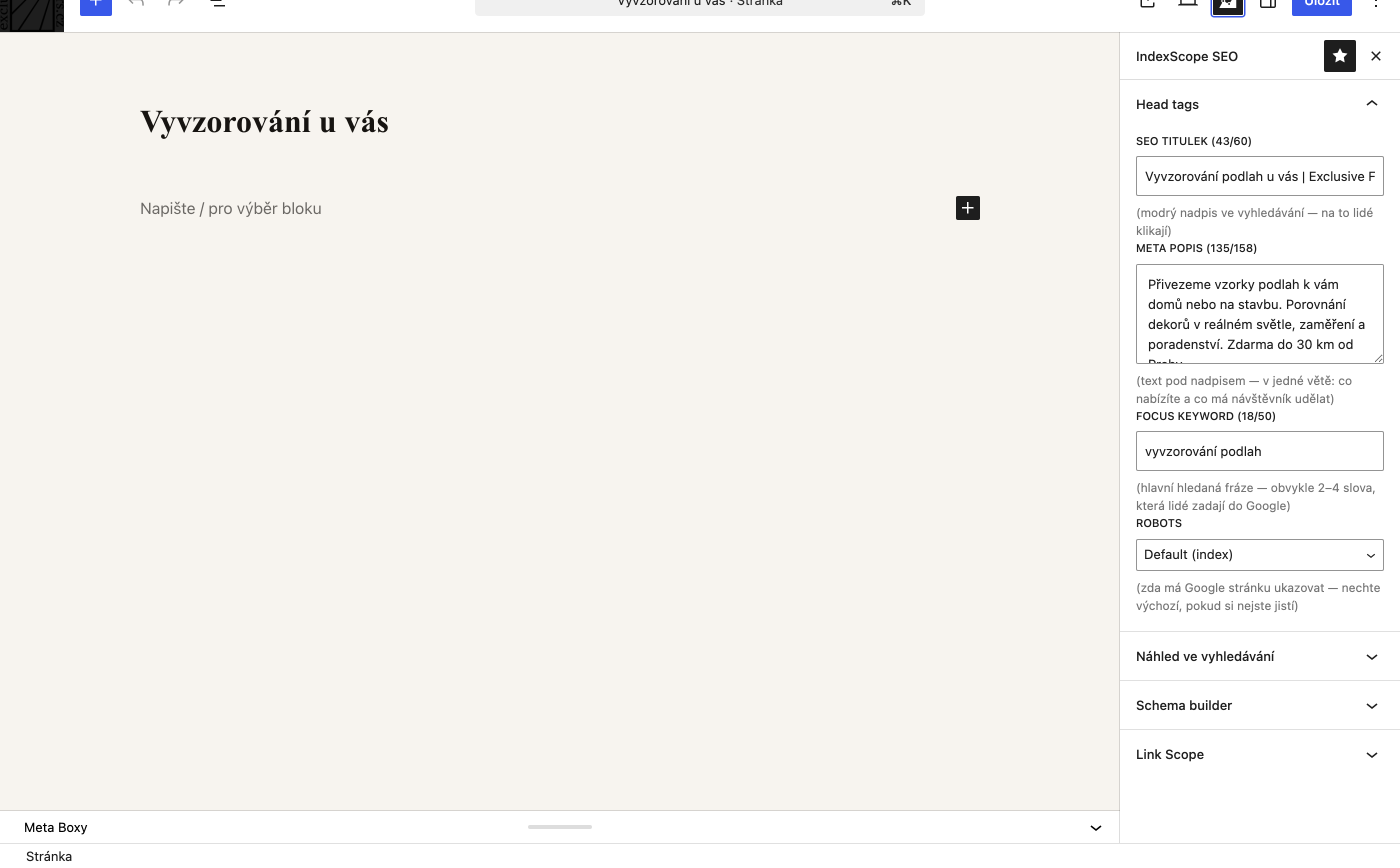
In the block editor open the Puluno SEO side panel:
- Same fields as the meta box
- SERP preview
- Schema builder — choose FAQ / HowTo / Service
- Link Scope — inbound/outbound links for the current page
SERP preview
The preview simulates blue title, green URL, and gray description in Google style. Updates as you type in title and description fields.
Smart suggestions
The plugin can generate title and description suggestions from page content (without AI, in Free).
Pro adds the AI suggestion button in the meta box — OpenAI generates title, description, and focus keyword. You need a Pro license and your own API key.
→ Full guide: AI meta suggestions (OpenAI) — registration, billing, API key, troubleshooting.
Schema per page
In the Gutenberg panel choose schema type and fill items (FAQ questions, HowTo steps, service description). The plugin outputs JSON-LD in head — see Schema & IndexNow.
Tips
- Keep title under 60 characters — SERP preview shows truncation
- Focus keyword appears in meta
keywords(optional) - For noindex pages the audit shows a label in the Center table