Published 29 October 20264 min read
Contact forms without spam and in line with GDPR
A form is the most common way to get an enquiry. We explain in plain language how to keep it simple, protect it from spam without an annoying captcha, and handle personal data properly — and how to do it in the Puluno Forms module.
- Forms
- Spam
- GDPR
- WordPress
For most sites the contact form is the most common way to get an enquiry. It's also where the most needless mistakes happen: the form has ten fields and nobody fills it in, it gets spammed, or the site stores personal data without a clear consent. This article walks through, in plain language, the three things that turn a form from a worry into a quiet salesperson.
No legal gymnastics — just what's worth setting up so the form brings enquiries and stays clean.
Three things that decide it
- 1Simplicityfewer fields = more submissions
- 2Protectionspam gone without an annoying captcha
- 3Privacyclear consent and safe storage
Simplicity: fewer fields, more enquiries
Every extra field is a reason not to fill the form in. For an enquiry, name, email and message are usually enough — phone optional. The shorter the form, the higher the conversion (the share of people who actually submit it).
A few practical rules:
- Only ask for what you really need to reply the first time.
- Mark required fields and leave the rest optional.
- A clear button ("Send enquiry"), not a generic "Submit".
- A confirmation after sending — so people know the message arrived.
Spam: getting rid of it without an annoying captcha
Form spam is mostly sent by bots. The good news: you can filter out most of it without making visitors solve image puzzles:
- Honeypot — a hidden field people don't see but a bot fills in. If it's filled, you drop the message. The visitor never notices.
- Timing check — a form submitted a fraction of a second after loading is almost certainly a bot.
- Captcha as a fallback only — leave the annoying "click the traffic lights" as a last resort, not the first line of defense.
The goal is to not deter a real customer. Every extra hurdle costs you some enquiries.
Privacy and GDPR without panic
As soon as you collect a name, email or phone through a form, you're handling personal data. GDPR doesn't make this rocket science — a few principles are enough:
| Principle | What it means in practice |
|---|---|
| Purpose | Say what you'll use the data for (to reply to the enquiry) |
| Consent | For marketing, a checkbox that isn't pre-ticked |
| Minimum | Don't ask for more than you need |
| Safe storage | Data kept by the site/plugin, not a random unmonitored inbox |
| Link to the policy | A short link to your privacy page next to the form |
Important: marketing consent (a newsletter) is different from replying to an enquiry. To answer a specific question you usually don't need processing consent — to send offers later, you do.
How you see it in the Puluno Forms module
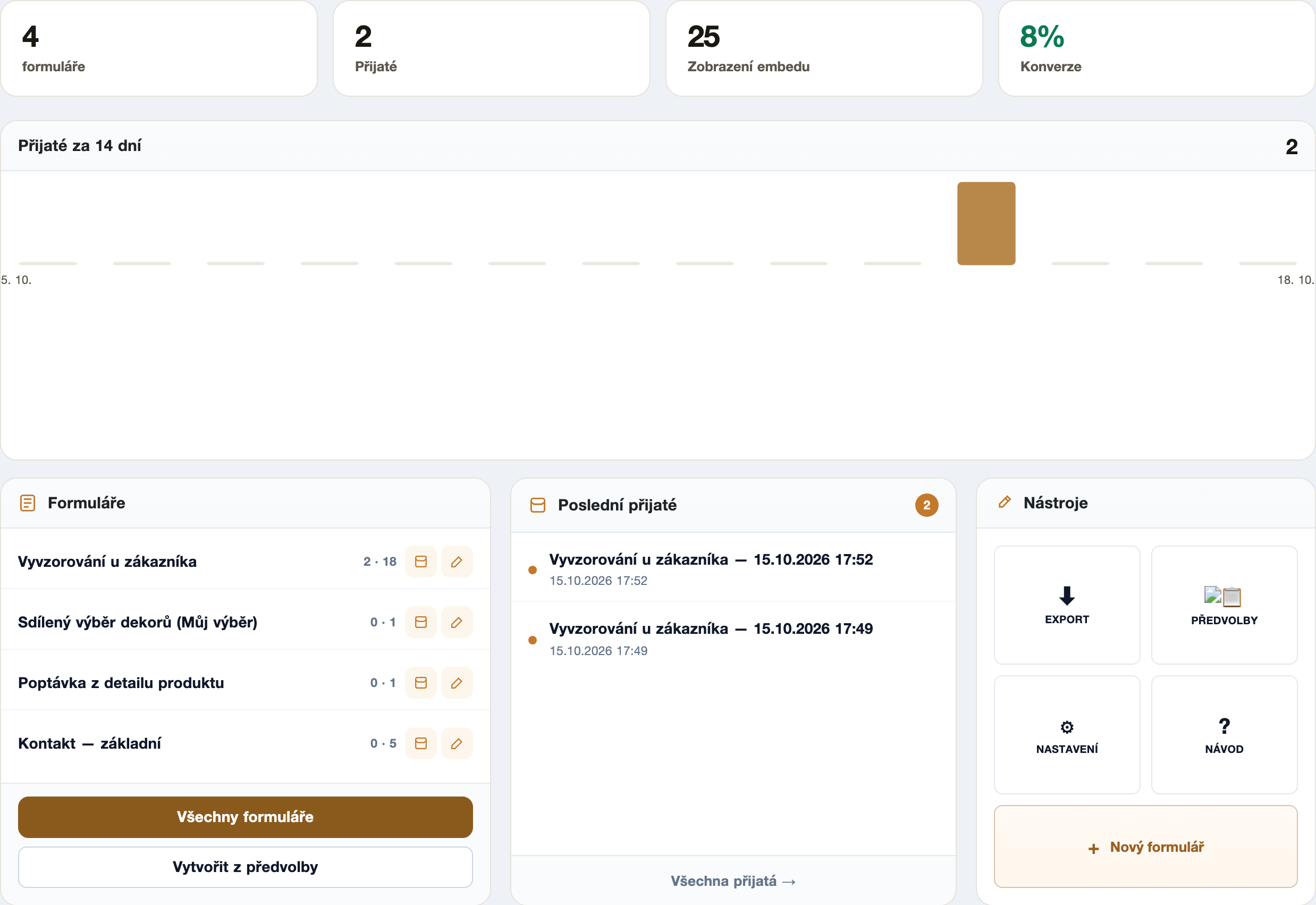
The Puluno Forms module combines building the form and an overview of received enquiries in one place: how many forms are running, how many messages came in, the conversion, and a data export when you need it elsewhere.
WordPress: a short checklist
- Puluno Forms → New form — start from the "Contact" preset and keep only the necessary fields.
- Turn on anti-spam (honeypot) and leave captcha as a fallback.
- Add consent and a link to your privacy policy next to the form.
- Check where messages go — that they're stored and, if needed, sent to a working email.
- Run a scan in the Explorer so the form page is fast and findable.
Summary: A good form is short (more submissions), protected from spam without an annoying captcha, and fair with personal data (clear consent, safe storage). Build it in Puluno Forms, keep the page speed in check in the Explorer, and watch the conversion — the form then works for you.